
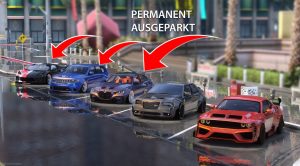
This guide explains how to do that AdvancedParking script on your FiveM server, to permanently leave vehicles outside and not allow them to despawn. Just like it is the case in RageMP and AltV.
What is AdvancedParking?
This AdvancedParking script registers every vehicle a player enters in the database as a saved vehicle. The vehicle always remains in the last location where it was parked by a player. If it disappears when players are too far away or after a server restart, the script will cause the vehicle to reappear on the server side once a player is close enough. This means there is no longer any “disappearance” when you look away for a moment. All vehicle modifications and states are saved and reapplied upon respawn.
Note: You need administrative rights on your server to make these changes.
Here's how you can install it
Step 1: Download script
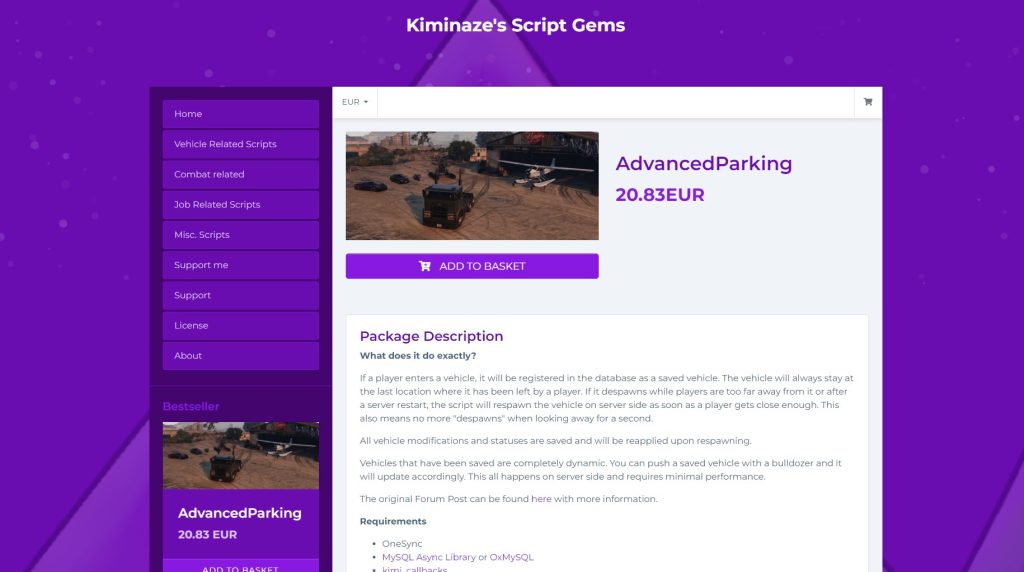
First you need to download the AdvancedParking script. The script costs according to the Release thread €17.50 plus VAT (as of October 2026), available on Kiminaze's Tebex page. It works independently of the framework and supports ESX, QBCore, Qbox, OX and Standalone. Requirements are OneSync, oxmysql and the free resource kimi_callbacks.
Step 2: Upload script to server
After you have downloaded the AdvancedParking script, you need to upload it to your FiveM server. Typically you do this by copying the script to your server's resources folder. The exact method may vary depending on your server hosting.
Step 3: Include script in server.cfg
Now you need to make sure your server loads the new script upon startup. To do this, add a line to your server.cfg file. This line should contain the name of the script you just uploaded, preceded by “ensure”. For example:
ensure Advanced Parking
Save the changes and close the file.
Check in the official documentation, which database setup your version requires. If a .sql file is included, import it, because the script will not run without the database.
Step 4: Restart server
After adding the script to your server.cfg, you need to restart your server. When your server restarts, it should load the AdvancedParking script and your vehicles should no longer despawn.
Step 5: Test script
After the restart you should test the script. Try spawning a vehicle and leave it there for a while. If everything works correctly, the vehicle should still be there after some time.
Saved vehicles are also completely dynamic. You can bulldoze a saved vehicle and it will update accordingly. This all happens on the server side and requires minimal performance.
Summary
In this guide we have described the procedure for implementing the AdvancedParking script on FiveM, which allows vehicles to be permanently left “outside” and not despawned. This innovative script helps to significantly improve the gaming experience by eliminating vehicle disappearances and saving all vehicle modifications and states to restore them when necessary. In addition, it allows full dynamics in handling saved vehicles, resulting in a more realistic and smooth gaming experience.
We recommend the AdvancedParking script due to its excellent functionality and its ability to significantly improve gameplay in FiveM. It is important to emphasize that this script works on the server side and therefore requires minimal performance, making it a great option for server administrators who want to provide the best gaming experience.
Additionally, we would like to praise the excellent support provided with the AdvancedParking script. The developer and community are very helpful and respond quickly to any questions or issues, making it a safe and reliable choice for any FiveM server. We are confident that you will be very happy with integrating this script into your server.


 German
 English